Restb.ai in Ocusell - Your fast and effective virtual listing assistant!
Not only does Ocusell browse over 70 sources of information when entering a listing to help you auto-populate input fields, but the system includes several restb.ai features with more planned to come!
Reorder Photos
On the Media & Documents tab, just above the photos and to the right, you'll notice a link: Reorder with AI. restb.ai will evaluate the photos and group similar photos together (i.e. all the exterior shots, or a room with several photos). Of course, restb.ai doesn't know how the house is laid out, so if the grouping of photos is not to your liking you're always free to drag and drop them in whatever order you choose.
Populating Data Fields from Photos
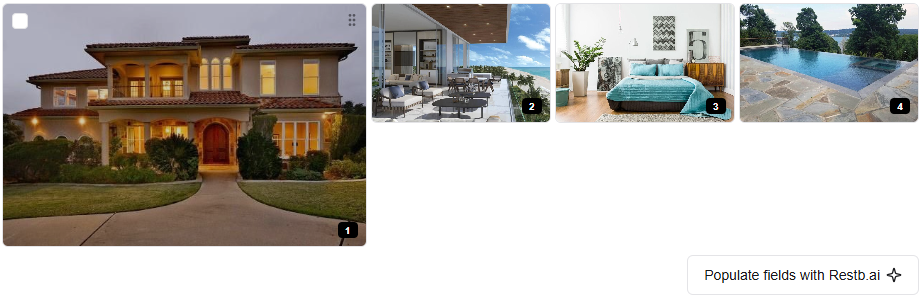
Also on that page just below the photos and to the right is a button: Populate fields with Restb.ai
Did you forget to mention the house had a city view? restb.ai could see through that enormous window and notice a city and suggest it for you to add to the appropriate input field!
Suggest Public Remarks
Feeling a little tongue tied? Not properly caffeinated? Try the Generate with Restb.ai button below the Public Remarks field for a possible starting point to really make your irresistible listing that much more appealing!
Stay tuned as more features are added all the time!
Related Articles
Import Listing into Ocusell
Two primary features of Ocusell are its dual publishing potential into FMLS and GAMLS systems as well as the ability to monitor the listings in those locations to prevent data from being out of sync. If you have an on-market listing out there that's ...Quick Guide: How to Create a New Listing
Create, edit, adn manage your listings on FMLS and GAMLS directly from your Ocusell dashboard! How to create a new listing: 1) Click the "+ Add Listing" button in the top right corner of your listing dashboard. 2) Simply enter the property address, ...Quick Guide: Bi-Directional Sync
Ocusell keeps your listing data accurate and up-to-date. If you need to make an edit directly on the MLS, Ocusell will detect the change for the following fields and prompt you to select the correct value, ensuring consistency across all platforms. ...Quick Guide: Social Media Dashboard
Promote listings using the social media dashboard within Ocusell. Easily create, schedule, and manage posts to Facebook, Instagram, LinkedIn, and X! How to use the Social Media Dashboard: 1) Access the social media dashboard from the green side ...Quick Guide: Connect to your MLS(s)
In order to publish listings to the MLS from List Plus, you'll need to connect your MLS credentials first. How to add your MLS credentials: 1) Click the gear icon in the top right of the green side panel, or click on your profile name drop-down and ...